
There’s a graveyard of AI projects that never made it past the pilot phase. I keep seeing the same headstone: “Demo worked. Production didn’t.”
Table of Contents
- Villain 1: GPT Wrappers are Production-Ready
- Villain 2: Generic Eval Metrics Are Good Enough
- Villain 3: Generate Test Data With AI
- What actually works in production
- How Not to Die in the PoC Purgatory
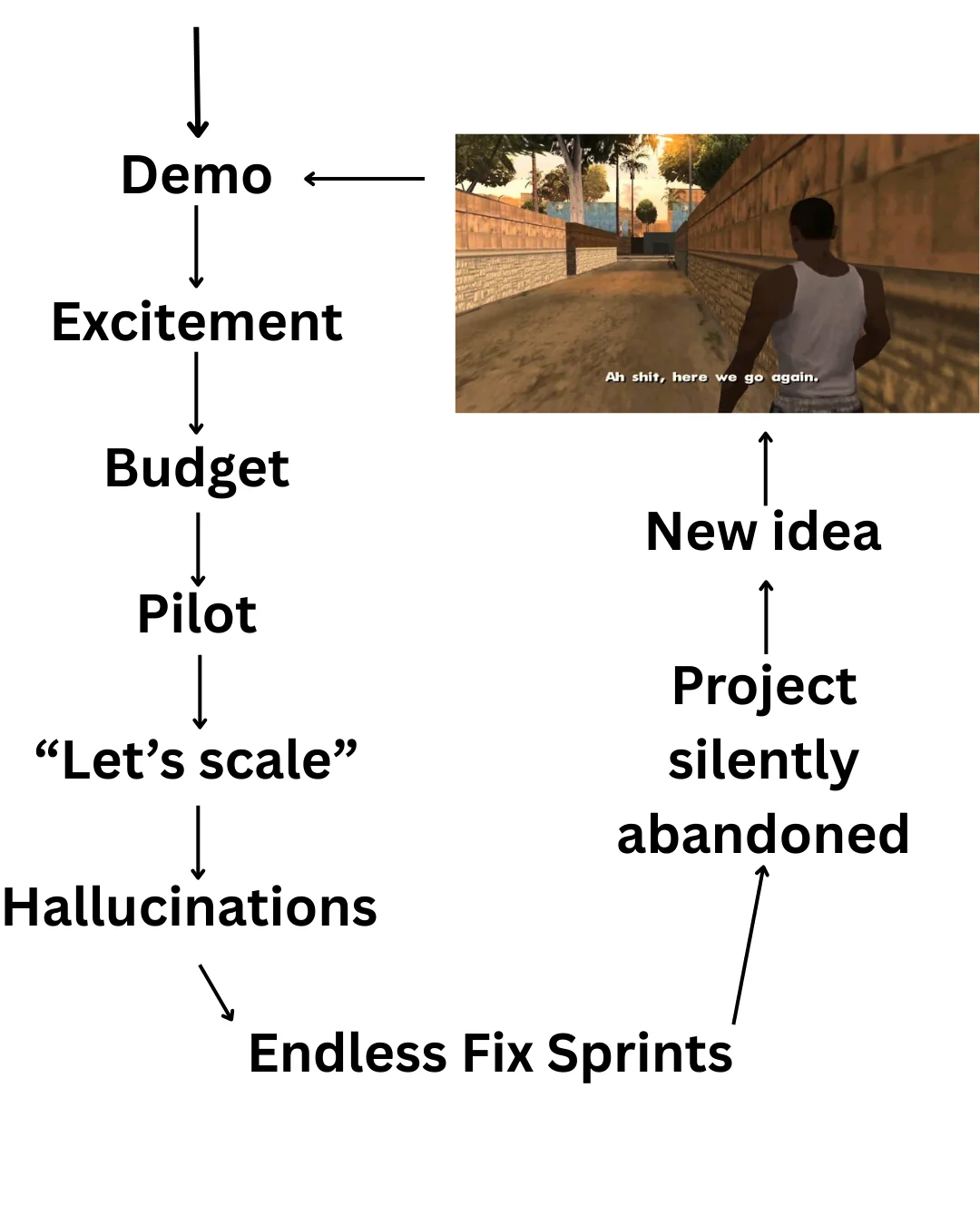
It’s predictable. A team builds an impressive agent. Leadership gets excited. Budget flows. Engineers line up to get promoted. The pilot launches to a controlled group of users who know it’s experimental and are willing to forgive its mistakes. Then someone says the last-words-before-death: “Let’s roll this out to everyone.”
That’s when AI PoC Purgatory begins.
In 2024, Gartner predicted that 30% of AI proof-of-concept projects would be abandoned by the end of 2025. In March 2025, CIODive reported 42% of businesses scrapped most of their AI initiatives before they reached production. Fortune cited an MIT report claiming that 95% of generative AI pilots are failing. We are not only bad at AI, but also bad at predicting how bad we really are.
Three years after GenAI got noticed in the mainstream, and I still observe the same patterns. People who have never worked with machine learning expect to make an API call to an AI model and for everything to work magically. People with no data engineering/data warehousing experience expect that dropping raw data into a vector database will yield any results beyond frustration and grey hair. People who spent their entire career writing code without automated tests, make a few calls to AI, declare it works, and expect a miracle in production. We are gulping the Kool-Aid of magic technology that just works, requires no skills to set up, and 10xes the revenue while letting you fire all those pesky humans.
Then reality punches us in the face. And you meet the three villains of AI projects.
Nobody kills failing AI PoCs. They die in status meetings. “We’re working on stability improvements.” “We need more testing before broader rollout.” “Let’s revisit the timeline next quarter.” Twelve months later, the pilot is still a pilot. After a crash landing. One day, the key stakeholders have a more important meeting. Then they reallocate “resources” to more urgent initiatives. Eventually, nobody remembers, nobody cares, and the company moves on to new ideas.
Villain 1: GPT Wrappers are Production-Ready
I watched a team spend three weeks rewriting prompts while users complained because their setup stopped working overnight. No changelog. No warning. Just an unparsable response from requests that used to work. They suspected OpenAI nerfed the model, but they couldn’t do anything about it.
If you don’t control the model, don’t even try to use it in production. The control may mean deploying the model yourself or entering into an agreement with the vendor that guarantees specific results. Otherwise, your project will be ruined by spending developer time compensating for unpredictability.
The GenAI models are unpredictable enough even when everything goes according to your plan. By making your software act as a wrapper for an external AI service, you give up control over model version changes, API rate limits, response time variance, or service failures due to overload.
bro, you’re fine. you just need an impossible sequence of events to play out in perfect order against all odds and you’ll be fine - chimpp on X
Of course, (over-)reliance on external services is the only way to access the most powerful closed-source models. The decision to do so shouldn’t be your default, but the result of a trade-off analysis. Sometimes it pays off to give up control in exchange for the best AI model in the world. When you are an early stage startup looking for investors, so you need a wow-effect during the demo while production performance is something you may worry about in two years; when your competition is about to defeat you and you need to take a risk to have a chance to survive. However, when you need a stable production solution at a company with a reliable, proven business model, you may wish to retain more control.
Villain 2: Generic Eval Metrics Are Good Enough
Your eval says 95% correct. Your users see hallucinations on every third request. The metrics lied. It’s possible the users lied, too; I don’t know. But I’m sure your metrics lied.
I’m reminded of this every time I see Perplexity quote a value it claims to have found on some page. The page exists. It’s even about the right topic. But the cited number is nowhere to be seen. I bet their LLM-as-judge approves, and the faithfulness metric looks epic. The user experience: not so much.
Generic metrics like “correctness score”, BLUE, ROUGE, faithfulness, etc., are useful debugging tools (and you should track them), but they tell you nothing about the actual performance of your system. You need business-driven metrics. Does your AI bot help the user book a hotel? Make the metric measure how many conversations ended with the user getting precisely what they wanted.
If you have downloaded a generic metrics library, use its untuned, generic LLM-as-judge prompt to automatically judge the results, and present results on a dashboard that shows “correctness”, “faithfulness”, or “hallucination rate”, but no actual business metrics, YNGMI. If you don’t believe me, tell me how a 2-percentage-point improvement in faithfulness affects your users. See? Pointless. But by all means keep tracking those metrics, you will need them in addition to business-oriented metrics to tell why the model failed to fulfil the request. Just don’t make them the KPIs. It would make as much sense as making disk usage a KPI. You need to understand the value of such metrics to address certain kinds of problems, but it’s never the project’s goal.
Villain 3: Generate Test Data With AI
The model performed well on hundreds of synthetic hotel bookings. The first real user asked to book “the same room we stayed at last time.” The model hallucinated a hotel that doesn’t even exist. Then another user asked about a hotel that’s close to both a beach and the train station. The database didn’t even track distances to beaches, but the model confidently built an invalid search query, picked the top hotel from the result list, and booked them the worst holiday of their life. The user probably flipped the desk. But was it unexpected?
You tuned the model on synthetic data, tested it on synthetic data, and wonder why it fails on real data. You make an AI equivalent of building an application for busy people in a particular profession, without ever talking to them or observing them at work. A demo works because you control the inputs. Production users don’t follow your happy path. You could have misunderstood their domain, the constraints they work with.
Every failure mode that actually matters is outside the data distribution you generated while sitting in an air-conditioned office sipping a latte. Go talk with people. Use real data for testing. Use AI-generated data to extend the real test set, not replace it.

What actually works in production
Treat the Model as a Hostile External Dependency
Even if you deploy the model yourself, fine-tune it, or write every line of the pipeline, still treat the model as an external dependency actively trying to ruin your day. Because it will.
Build an abstraction layer between your application and the model. Everything that comes from the model gets validated before it touches your business logic. Not “sometimes validated.” Not “validated in debug mode.” Every response, every time. If the model returns a JSON, parse it and validate the schema. If it returns a price, check if it’s within a sane range. If it returns a hotel name, verify it exists in your database before showing it to the user.
The abstraction layer should give you three panic buttons:
- Circuit breaker: When model latency spikes or error rate crosses a threshold, stop sending requests. Serve a fallback. “I’m having trouble right now, let me connect you with a human” is infinitely better than a 30-second hang followed by garbage.
- Kill switch: One config flag that disables the AI entirely and falls back to the pre-AI flow. No deployment required. No PR review. Just flip it.
- Model swap: The ability to point to a different model (or model version) without code changes. When your vendor silently updates their model and breaks your prompts, you’ll want to roll back to yesterday’s snapshot while you figure out what happened.
If you can’t do all three within 5 minutes of noticing a problem, you’re not production-ready.
Build Evals From Corpses Autopsy
Evaluate your system on the failures you have seen, not generic metrics. Every failure in production is a gift (sometimes, das Gift). It’s a free test case written by reality. Your job is to collect these corpses and turn them into an eval suite that prevents the same death twice.
Here’s the loop:
- Sample production logs weekly. Oversample the failures. Look at conversations that ended early, requests that timed out, and responses that got thumbs-down.
- Categorize the failures. Did the model hallucinate? Did it misunderstand the request? Did it give a correct answer to the wrong question? Each category needs different fixes.
- Add the worst ones to your eval set. Pick the ones that represent a pattern, not a one-off typo.
- Run evals on every change. Before a new prompt goes live, before a model upgrade, before anything. If an old failure reappears and you still care, block the deployment.
Remember to track the generic metrics, they are still useful for debugging why a specific failure happened.
Canary Rollouts or Self-Destruction
A “deploy to everyone” button is a self-destruct button with better UX.
Every change (every! New prompt, new model version, new retrieval logic) goes through a canary rollout. Start with 1% of traffic. Maybe 5%. Watch it for a day. Not “check the dashboard for green lights,” watch it. Actually look at the conversations. Read 20-30 of them with your own eyes. See what the model is saying to real users.
What are you watching for?
- Latency distribution shift. Look at p95 and p99. A model that’s fast for 94% of users and hangs for 6% will show a fine average and a disaster in the tail.
- New failure patterns. Failures you’ve never categorized before. The eval suite won’t catch these because you didn’t know to test for them.
- User behavior changes. Are users abandoning conversations faster? Asking more follow-up questions? Rephrasing the same request three times? These are signals that something is wrong, even when your evaluations say everything is fine.
If anything looks off, roll back. Don’t debug in production with 100% of your users. Roll back to the previous version, investigate with the 1% traffic logs, fix it, and try again.
The sequence is always: 1% → observe → 5% → observe → 10% → observe → 50% → observe → 100%. Skip a step, and you’ll learn why the step existed.
How Not to Die in the PoC Purgatory
90% fail because they skip all three checkpoints: they don’t control their model, they don’t measure what matters, and they don’t test on reality. Hit any one of these villains, and you might survive. Hit all three, and you’re guaranteed a spot in the PoC Purgatory. The exit is boring: control, measure, test. No magic. That’s the point. It’s called AI engineering for a reason.